How to Use AI Video Generators for Social Media (Without Looking Like Everyone Else)
March 15, 2026 · 9 min read
Three out of four marketing videos in 2026 are AI-generated or AI-assisted. That's not a prediction. That's the number from this year's data.
And honestly? You can tell. Scroll through any TikTok feed for five minutes and you'll spot the same AI-generated clips recycled with different captions. The barrier to creating video content has collapsed, but most people are using these tools the same way, which means most AI video looks identical.
It doesn't have to. The creators and brands pulling real engagement from AI video aren't doing anything complicated. They're just approaching the tools differently. Here's what actually works.
AI video generators took over social media because the math changed
Video content now accounts for over 60% of total social media consumption. Short-form video views grew 36% year-over-year, driven by TikTok, Instagram Reels, and YouTube Shorts. Two out of three consumers say short-form video is the most engaging content type they see.
The engagement gap between video and everything else keeps widening too. Facebook video posts earn twice the engagement of non-video posts. Video campaigns generate 34% higher conversion rates than static ads. And 91% of businesses are actively using video this year, up from around 85% in 2024.
What changed isn't that marketers suddenly discovered video works. Everyone knew that. What changed is that creating video used to require equipment, editing software, and hours of production time. Now it requires a text prompt and about 30 seconds of patience.
That shift matters because it means the bottleneck moved. Production isn't the hard part anymore. Knowing what to make is.
What AI video generators can actually do now
If your last experience with AI video was in 2024, forget everything you remember. The outputs were rough back then. Warped faces, weird physics, six-fingered hands. The current generation of models is a different animal.
Here's where things stand:
Text-to-video is the most common input. You type a description, pick a style and aspect ratio, and the model generates a clip. Models like Google's Veo 3.1 (released January 2026) now generate three-dimensional spatial audio alongside the visuals, with dialogue that syncs to lip movements and footsteps that match walking surfaces.
Image-to-video lets you upload a still photo and extend it into motion. This is particularly useful for product shots, where you already have the visual but want movement for Reels or TikTok.
Native vertical format is finally standard. Veo 3.1, Kling 3.0, and Runway Gen-4.5 all support 9:16 output without cropping or letterboxing. That sounds minor, but if you've ever tried to repurpose a landscape AI video for TikTok, you know the pain.
The models available today include Kling 3.0 Pro (5 and 10 second clips with audio), Google Veo 3.1 (4 and 8 second clips with spatial audio), and Runway Gen-4.5 (5 and 10 second clips, no audio). Each has different strengths. Kling handles motion well. Veo produces the best audio. Runway tends toward cinematic aesthetics.
The real competitive advantage isn't the tool you pick
Here's the thing. When everyone has access to the same AI models, the output quality converges. A survey of 6,500 creators across 140 countries found that 87% of creative professionals now use AI tools in their workflows. That's not an edge. That's table stakes.
The competitive advantage shifted. 63% of creators now prioritize creative direction and strategic viability over pure production quality. That's a meaningful change from even a year ago, when the conversation was still about which model produced the best-looking output.
Think of it this way: AI is your production crew. You're still the director. The creators winning right now aren't the ones generating the most technically impressive videos. They're the ones with the clearest creative vision, the sharpest hooks, and the best understanding of what their audience actually wants to watch.
Nobody goes viral because their AI video has better lighting. They go viral because the concept hits.
How to generate AI videos that perform on each platform
Not all short-form video is the same. A clip that works on TikTok might fall flat on YouTube Shorts, and what works on LinkedIn would feel completely out of place on Instagram. Here's what matters on each.
TikTok and Instagram Reels
TikTok leads all platforms with a 5.38% average engagement rate. Instagram sits at 1.41%. Both reward the same things: fast hooks, vertical format, and content that feels native to the platform.
Your first two seconds determine everything. If the opening doesn't grab attention, the algorithm buries you. When writing prompts for AI video generators, front-load the most visually interesting element. Don't build to a reveal. Start with one.
Keep clips under 60 seconds. The data consistently shows that short-form video (under a minute) is the highest-converting format across all platforms. For TikTok specifically, 15 to 30 seconds is the sweet spot.
Add captions. Always. A huge percentage of social video is watched on mute. If your message only works with sound, you're losing most of your audience.
YouTube Shorts
YouTube Shorts has a different discovery mechanism than TikTok. Titles and descriptions carry more weight. The algorithm indexes text metadata, so your title isn't just for humans; it's for search.
When generating video for Shorts, think about discoverability. Pair your AI-generated clip with a keyword-rich title and description. YouTube's search engine is still the second largest in the world, and Shorts get surfaced through it.
Facebook and LinkedIn
Both platforms skew older and more professional. Facebook video posts earn double the engagement of static content, but the audience expects slightly more polished, informational content compared to TikTok's raw energy.
LinkedIn is even more distinct. Video is still relatively new there, and the algorithm is actively pushing it. But the tone needs to match the platform: educational, professional, or thought-leadership oriented. An AI-generated product demo or industry explainer works well. A trendy TikTok dance does not.
From prompt to published: a practical workflow
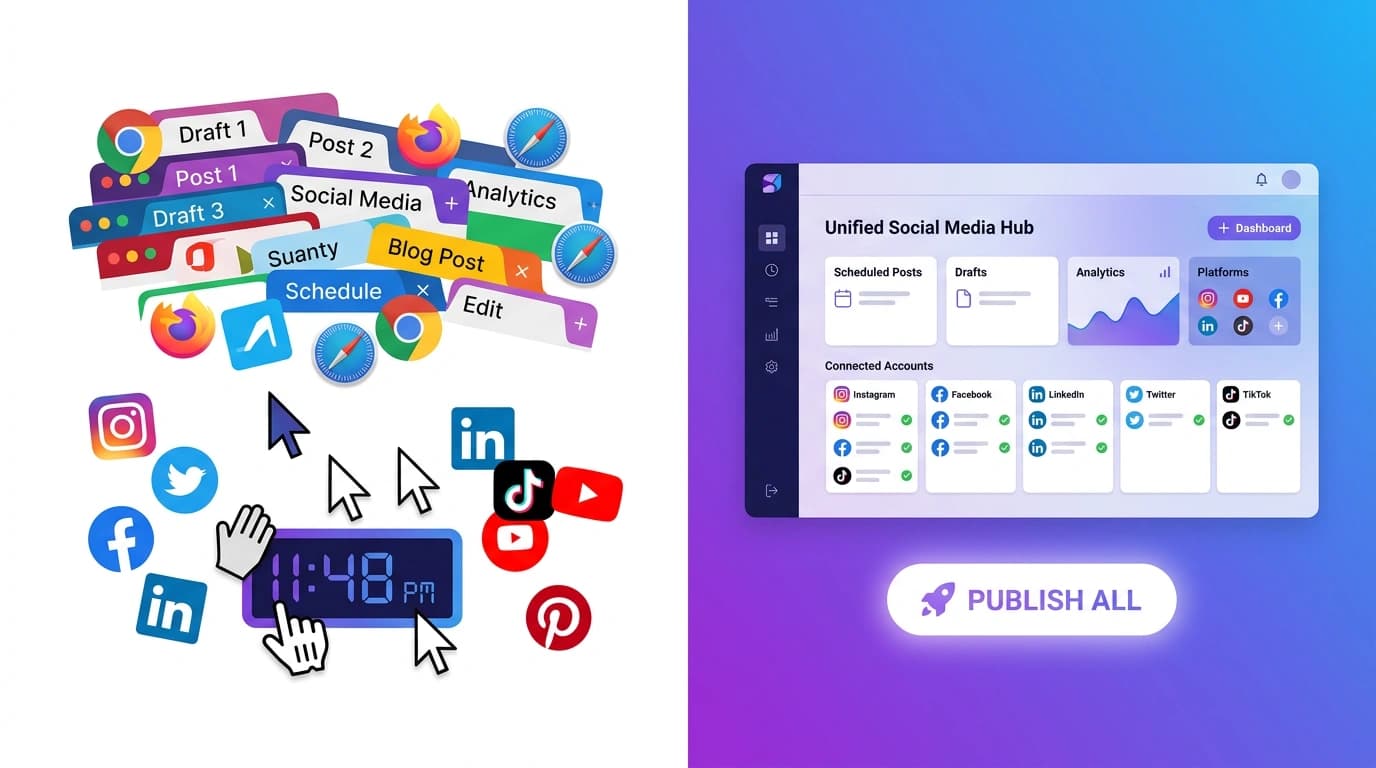
The biggest time sink in social media video isn't the generation itself. It's the workflow around it. You research what's trending. You write a prompt. You generate the video. You download it. You upload it to each platform separately. You write captions for each one. You hit publish six different times.
That's where all-in-one tools change the equation. Instead of bouncing between a research tab, an AI video generator, and three different social media dashboards, the entire pipeline can happen in one place.
The workflow that actually saves time looks like this:
- Research what's trending right now. Not last week's trends. Not a template library. AI-powered web search that checks what's performing today on your target platforms.
- Generate video from a prompt or reference image. Pick your model, aspect ratio, and duration based on which platforms you're targeting.
- Generate platform-optimized captions alongside the video. Each platform gets its own version: different character limits, hashtag strategies, and tones. A LinkedIn caption isn't a TikTok caption.
- Preview how each platform will actually render your post. See the exact layout before you publish. No surprises.
- Publish to all platforms with one click. Instagram, TikTok, YouTube, X, Facebook, LinkedIn. One action, not six.
Tools like PowerPost handle this entire pipeline. You go from idea to published across six platforms without switching tabs. The AI researches trending topics, generates your video, writes platform-specific captions, shows you live previews, and publishes everything at once.
That workflow difference adds up fast. If you're posting three times a week across four platforms, you're saving hours every single week.
Common mistakes that tank AI video performance
I see the same errors over and over from people using AI video generators for social media. Most of them are easy to fix.
Generic prompts produce generic video. "A person walking in a city" gives you exactly what it sounds like: forgettable stock footage. Be specific. What city? What time of day? What's the mood? The more direction you give the AI, the more distinctive the output.
Ignoring platform specifications. Generating a landscape video and then cropping it for TikTok looks awful. Generate in the correct aspect ratio from the start. Square (1:1) for Instagram feed, portrait (9:16) for Stories, Reels, and TikTok, landscape (16:9) for YouTube thumbnails and X posts.
Posting identical content everywhere. The same clip with the same caption on every platform signals to audiences (and algorithms) that you didn't put thought into it. Adapt your content. Different hooks, different captions, different lengths when possible.
No human creative direction. AI-generated video without a clear creative concept behind it is just noise. Before you type a prompt, know what story you're telling and why your audience should care. The AI handles production. You handle strategy.
Skipping the edit pass. AI video isn't always perfect on the first try. Review the output. Regenerate if the first attempt misses the mark. Add your own captions, music, or branding on top. The best AI video is AI-assisted, not AI-only.
Frequently asked questions
Can AI-generated videos go viral on TikTok?
Yes. The algorithm doesn't distinguish between AI-generated and traditionally produced content. It measures watch time, engagement, and shares. If your concept is strong and the hook grabs people, AI-generated video performs just as well as anything shot on a phone. The 5.38% average engagement rate on TikTok applies regardless of how the video was made.
How much does AI video generation cost?
Costs vary by model, duration, and platform. Most tools use credit-based pricing. For example, a 5-second clip might cost $0.50 to $1.50 depending on the model, while 10-second clips run higher. Pay-as-you-go pricing (like PowerPost's credit system) means you only pay for what you generate, with no monthly subscription required.
Do I need video editing skills to use AI video generators?
No. Modern AI video tools handle generation, formatting, and even captioning. You type a description, pick your settings, and get a finished clip. That said, having a creative eye helps. Knowing what makes a good hook, understanding platform norms, and being willing to iterate on prompts will dramatically improve your results compared to accepting the first output.