AI Social Media Automation: Why Most Tools Only Solve a Third of the Problem
March 14, 2026 · 9 min read
You've got a scheduling tool. An AI writing assistant in another tab. A trend research site bookmarked somewhere. Maybe a Canva window for graphics. And you're still copying and pasting captions between platforms, adjusting hashtag counts manually, and wondering if what you're posting is even relevant to what people are talking about today.
That's the state of "automated" social media marketing for most people. Three tools, three logins, three subscriptions, and a workflow that's still mostly manual where it counts.
78% of marketers plan to automate over 25% of their tasks with AI this year. But here's what nobody's asking: automate which part? Because most tools only handle one slice of the job, and stringing them together with copy-paste is not automation. It's busywork with extra steps.
The three-tool problem in social media marketing
Social media content has three distinct phases: research, creation, and distribution. Most tools specialize in one. A few handle two. Almost none cover all three in a single workflow.
Research tools tell you what's trending. Google Trends, BuzzSumo, social listening platforms. They're useful, but their output is a report, not content. You still need to take those insights and turn them into posts.
AI writing tools generate captions and copy. ChatGPT, Jasper, Copy.ai. They produce text, but they don't know what's trending right now unless you tell them. And their output is generic by default, the same tone and format regardless of whether it's going to LinkedIn or TikTok.
Publishing tools schedule and distribute posts. Buffer, Hootsuite, Later. They're good at getting content out the door, but they don't create it. You arrive with finished content and they handle timing and delivery.
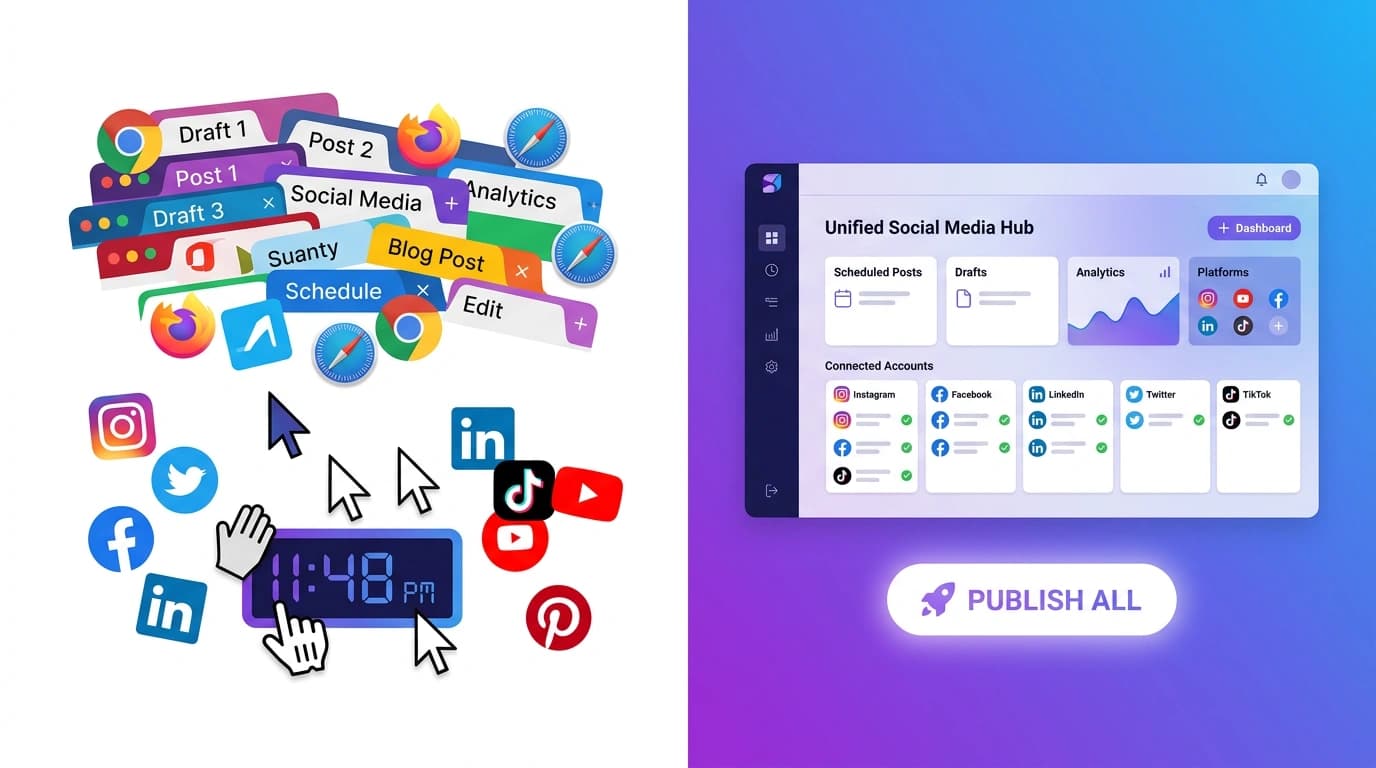
The gap between these tools is where all your time goes. You research trends in one app, write content in another, format it for each platform manually, then schedule it in a third. Each handoff introduces friction, lost context, and wasted minutes that add up to wasted hours.
What real AI social media automation looks like
Real automation means the entire pipeline, from "what should I post about?" to "it's live on six platforms," happens in one connected workflow. No tab switching. No copy-pasting between tools. No manual reformatting.
Here's what that looks like in practice: you give the AI a topic (or let it research trending topics for you), it generates platform-optimized content for every channel you're targeting, you review and edit everything in one place, and you publish to all platforms simultaneously.
That's not a fantasy. Tools like PowerPost already work this way. The AI researches what's trending using live web search (not recycled templates or a static database), generates separate captions for each platform with the right tone, hashtags, and formatting, shows you exactly how each post will look on each platform, and publishes everything with one click.
The difference between this and the three-tool approach isn't incremental. It's a fundamentally different workflow. One that actually deserves the word "automation."
Why platform-specific content beats copy-paste posting
This is where most scheduling tools fall short, and it's where the biggest engagement gains are hiding.
The numbers tell the story. TikTok averages a 5.38% engagement rate. Instagram is at 1.41%. LinkedIn sits at 1.84%. Facebook is down at 0.07%. X trails at 0.05%.
Those aren't just different numbers. They represent completely different audiences with different expectations. A post that performs on TikTok (casual, punchy, hashtag-heavy, trend-aware) would feel out of place on LinkedIn (professional, longer-form, fewer hashtags). And a LinkedIn thought-leadership post would get zero traction on TikTok.
Yet most people write one caption and blast it everywhere. Or worse, their "multi-platform tool" does it for them automatically, treating all six platforms as interchangeable distribution channels.
They're not interchangeable. Each platform has different character limits, different hashtag strategies (Instagram rewards 20 to 30 hashtags, X works best with zero to two), different content tones, and different formatting expectations. A tool that ignores these differences isn't saving you time. It's costing you engagement.
The right approach generates one piece of content per platform, not one piece of content for all platforms. Same core message, different execution. Different hooks, different lengths, different hashtag counts, different tones. That's how you actually maximize reach without spending six times the effort.
The writing style gap most tools ignore
Here's a problem that doesn't get talked about enough: AI-generated social media content sounds like AI-generated social media content.
You've seen it. The same upbeat, slightly generic tone. The same emoji patterns. The same "here are three reasons why" structure. It's technically correct and completely forgettable.
The issue isn't that AI can't write well. It can. The issue is that most tools generate content with a default voice that sounds like every other AI-generated post on the platform. When your content sounds like everyone else's, the algorithm has no reason to surface it and your audience has no reason to engage.
Custom writing styles fix this. Instead of accepting the AI's default output, you define your brand's voice once: your tone, your vocabulary, the way you structure sentences, the personality you want to project. Then every piece of content the AI generates matches that voice.
Some brands sound casual and irreverent. Others sound authoritative and data-driven. A fitness influencer's voice is nothing like a B2B SaaS company's voice. But without custom style settings, the AI treats them the same.
PowerPost lets you create and save custom writing styles that get applied to every generation. Define your brand voice once, and every caption, post, and description comes out sounding like you, not like a chatbot.
That's the difference between content people scroll past and content people actually recognize as yours.
How a full-stack workflow actually works
Let me walk through the complete pipeline, from zero to published across multiple platforms, using a single tool.
Step 1: AI researches what's trending right now
Not what was trending last week. Not a template library someone assembled six months ago. The AI runs live web searches to find what's being discussed, shared, and engaged with on your target platforms today.
This matters because social media rewards timeliness. A post about a trending topic published today gets 10x the reach of the same post published next week. Most AI writing tools can't do this because they don't have web access. They generate content based on their training data, which is always at least slightly stale.
The best tools go further with a "deep research" mode that uses multiple AI models to cross-reference trends from different sources. One model searches the web for current conversations. Another analyzes what's performing well. The result is content grounded in what's actually happening right now.
Step 2: Content generated per platform
This is where the platform-specific approach pays off. Instead of generating one caption and hoping it works everywhere, the AI creates separate versions optimized for each platform.
Instagram gets its own caption with the right hashtag count and formatting. TikTok gets a shorter, punchier version with trending audio references. LinkedIn gets a professional take with thought-leadership framing. X gets a concise version that respects character limits. YouTube gets a title and description optimized for search.
Same core message. Six different executions. All generated in one step.
Step 3: Preview how each platform renders it
Before you publish anything, you see exactly what your audience will see. Not a text preview. An actual visual rendering of how each platform will display your post.
This catches problems that text editors miss. A caption that looks fine in a text box might be truncated on Instagram's feed view. A hashtag count that seems reasonable might push your LinkedIn post into "see more" territory. Live previews let you catch and fix these before anyone sees them.
Step 4: Publish to all platforms with one click
Connect your social accounts once. After that, publishing is a single action. Your content goes live on Instagram, TikTok, YouTube, X, Facebook, and LinkedIn simultaneously. If one platform fails (TikTok's API can be temperamental), the others still succeed, and you can retry just the failed one.
No logging into six different apps. No uploading the same media six times. No adjusting formatting in each platform's native editor. One click, done.
API access: when automation needs to scale
For solo creators and small teams, the dashboard workflow is enough. But agencies managing multiple clients, SaaS companies generating content programmatically, or developers building custom workflows need something more.
That's where API access becomes important. A full REST API lets you trigger content generation, create posts, upload media, and publish, all programmatically. Combine that with webhooks (real-time notifications when generations complete or posts publish) and you can build fully automated content pipelines.
Workspace isolation means agencies can manage multiple client brands from one account, each with separate platform connections, writing styles, and content libraries. API keys come in two types: full access for trusted environments and draft-only keys for situations where you want to generate and review but not auto-publish.
This is where AI social media automation stops being a productivity hack and starts being infrastructure.
Frequently asked questions
Is AI-generated social media content as good as human-written?
It depends on how you use it. Raw AI output with default settings? It's passable but generic. AI output with custom writing styles, trending topic research, and platform-specific formatting? It often outperforms human-written content because it's faster to produce and can be optimized for each platform individually. The best approach is AI-generated, human-reviewed. Let the AI handle the production work, then spend your time on creative direction and final edits.
How many platforms can I post to at once?
Most multi-platform tools support four to six platforms. PowerPost covers six: Instagram, TikTok, YouTube, X (Twitter), Facebook, and LinkedIn. Each platform supports multiple post types (feed posts, Reels, Stories, Shorts, etc.), and each gets its own optimized caption and formatting.
Do AI automation tools work with brand guidelines?
The better ones do. Look for tools that let you define and save custom writing styles rather than just offering a "tone" dropdown with options like "professional" or "casual." A saved writing style should capture your specific vocabulary, sentence structure preferences, and personality traits. This is the difference between content that's "on brand" in a generic sense and content that actually sounds like your brand wrote it.