How I batch a full week of social media content in one sitting
March 26, 2026 · 7 min read
Last Sunday I sat down with coffee and a blank content calendar. Six platforms. Five days of posts. Zero ideas. The old routine would've meant bouncing between tabs all week, writing one caption at a time, Googling stock photos, copying and pasting the same post into different apps with minor tweaks. It used to eat hours I didn't have.
Instead, I opened PowerPost and had the whole week done before my mug was empty. I want to walk you through exactly how I batch social media content in a single session, because once I figured this out, I genuinely couldn't go back to the old way.
Map out the week first
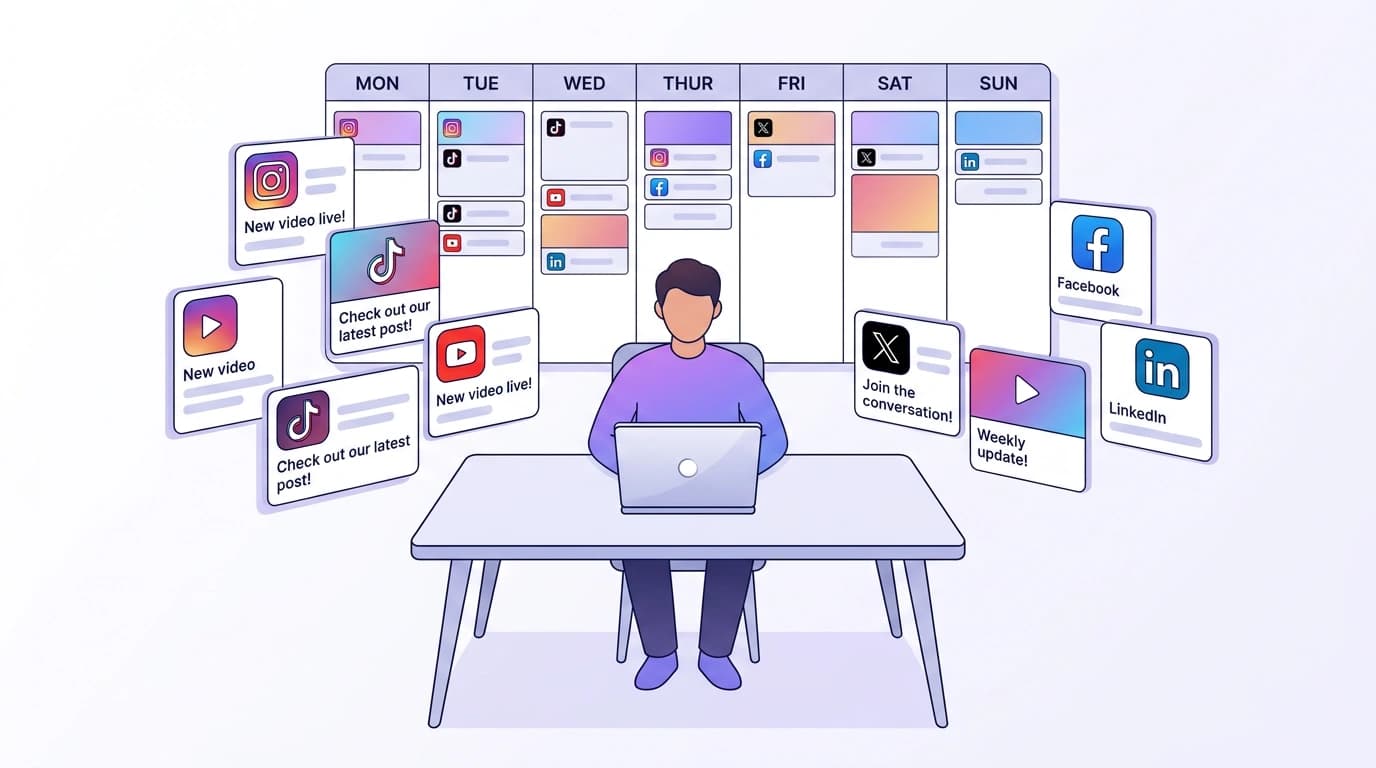
Before writing anything, I open the content calendar in month view. This part is just planning, no captions yet. I click on each day and drop in a rough idea: Monday gets a product tip aimed at Instagram and LinkedIn. Wednesday is a behind-the-scenes video for TikTok and YouTube Shorts. Friday is something lighter for X and Facebook.
Each calendar entry is just a title, a short note about the angle, and which platforms I'm targeting. Takes maybe ten minutes. But having that bird's-eye view changes everything. I can see gaps, spot if I'm posting too much on one platform and ignoring another, and rearrange things before I've committed to any actual writing.
I used to skip this step and just wing it day by day. That's how you end up posting three Instagram carousels in a row and nothing on LinkedIn for two weeks.
Lock in your voice before you write a word
Here's something I wish I'd set up sooner. In PowerPost's settings, there's a writing styles feature where you create your brand voice. You describe how you talk, what words you lean on, what you avoid, maybe drop in a few example sentences. Save it, set it as active, and now every piece of content the AI generates comes out sounding like you.
I've got two styles saved. One is casual and a little playful for Instagram and TikTok. The other is more buttoned-up for LinkedIn. Switching between them takes one click.
Without a writing style, the AI output reads fine but generic. You can tell a machine wrote it. With one applied, I barely need to edit. My audience can't tell the difference between posts I wrote manually and posts I generated with my style applied. That's the whole point.
Generate all your captions in one go
This is the part where the time savings really show up. I go back to my calendar, click into Monday's entry, and hit generate. I type a quick description of what I want to talk about (something like "quick tip about reusing content across platforms, keep it practical"), select my target platforms, and pick a research mode.
PowerPost has two: quick and deep. Quick mode does a fast web search and writes your captions. Deep mode runs a multi-stage research process, cross-referencing trends, pulling in context from multiple sources. I use quick mode for straightforward posts and deep mode when I'm covering a topic I want to get right, like industry news or a how-to that needs accurate details.
Hit generate. A few seconds later, I've got captions optimized for each platform I selected. And not just the same text copy-pasted everywhere. Instagram gets its own format with relevant hashtags. LinkedIn reads more professional. YouTube generates a separate title and description (because YouTube actually has separate fields, and most tools ignore that). TikTok even splits into a short title and a longer description.
I do this for each day of the week. Monday, Wednesday, Friday, whatever I planned. If I'm referencing a specific article or product page, I paste the URL into my prompt and PowerPost scrapes it, pulling real information into the generation. No more making things up or writing vague captions because I couldn't be bothered to look something up.
The whole generation step for five days of multi-platform content takes me about 15 minutes. I'm not exaggerating. I timed it once out of curiosity.
Make the visuals without leaving the app
About half my posts need an image or video. I used to lose an hour here, switching to Canva or scrolling through stock photo sites looking for something that didn't look like a stock photo.
Now I generate visuals right inside PowerPost. For images, I type a description of what I want (or use a reference image to guide the style) and pick from four AI models. Each one has a different strength. One is great with text and logos. Another does photorealistic stuff. A faster one works well for quick drafts when I just need something decent. I pick the size too: square for feed posts, portrait for Reels and TikTok, landscape for YouTube thumbnails.
For video, same idea. I can go text-to-video or animate a still image. Three video models, each with different quality levels and lengths. Some generate audio too, which is nice when I don't want to add music separately.
Everything I generate lands in my media library, and I can organize it into folders. So when I'm building posts later, I just pull from the library instead of hunting through my downloads folder. I usually generate all my visuals for the week right after I generate the captions, while I'm still in the zone.
Review everything and hit publish
Now I've got five days of captions and matching visuals. Time to assemble the actual posts.
I create a post, attach media from the library, and preview how it'll look on each platform. This preview step is underrated. I've caught formatting issues, captions that ran too long for X, hashtags that looked weird on LinkedIn, all during preview. Quick tweaks, done.
For posts I want to publish right away, one click sends them out to all selected platforms at the same time. For the rest of the week, I save as drafts. Some people publish everything immediately and rely on scheduling. I prefer drafts because I like doing a final check the morning of, just a quick scan to make sure nothing feels off given whatever's happening that day.
If a post fails to publish (API hiccup, expired token, whatever), PowerPost flags it with details so I can fix the issue and retry. I've had this happen twice in months of use, and both times it was because I needed to reconnect a platform.
What used to take me all week now takes one session
I'm not going to pretend this is magic. You still have to think about what you want to say. But the actual work of researching, writing platform-specific captions, generating visuals, and publishing across six platforms? That part went from scattered hours throughout the week to one focused sitting on Sunday.
The first time I tried batching this way, I finished and kept checking if I'd missed something. I hadn't. It just took less time than I expected.
If you've been doing the one-post-at-a-time thing and it's been working, great. But if you're tired of it, PowerPost is worth a shot.
FAQ
How long does it take to batch a week of social media content?
Depends on how many platforms and posts per day, but I typically finish a full week (five days, three to four platforms each) in about 60 to 90 minutes. The AI generation is fast. Most of my time goes into planning and reviewing.
Can AI write captions that actually sound like me?
If you set up a writing style with real examples of your voice, yes. It won't be perfect every time, but it gets close enough that I only make minor edits. The key is giving it specific guidelines, not vague stuff like "be friendly." Tell it exactly how you talk.
Do I need different content for each platform?
You don't have to, but you should. What works on LinkedIn reads stiff on TikTok. PowerPost handles this automatically: when you select multiple platforms, it generates a separate, optimized caption for each one. Same topic, different delivery.